Route identity
Select an agent and an account. The assurance badge tells you what the launch can actually guarantee.
 Agent Orchestrator
Field guide · current main
GitHub
Agent Orchestrator
Field guide · current main
GitHub
Desktop control plane for CLI agents
Give every account its own terminal, send the whole stage before waiting, and hand a complete, explicitly published result bundle to the stage that follows.
REAL PRODUCT UI
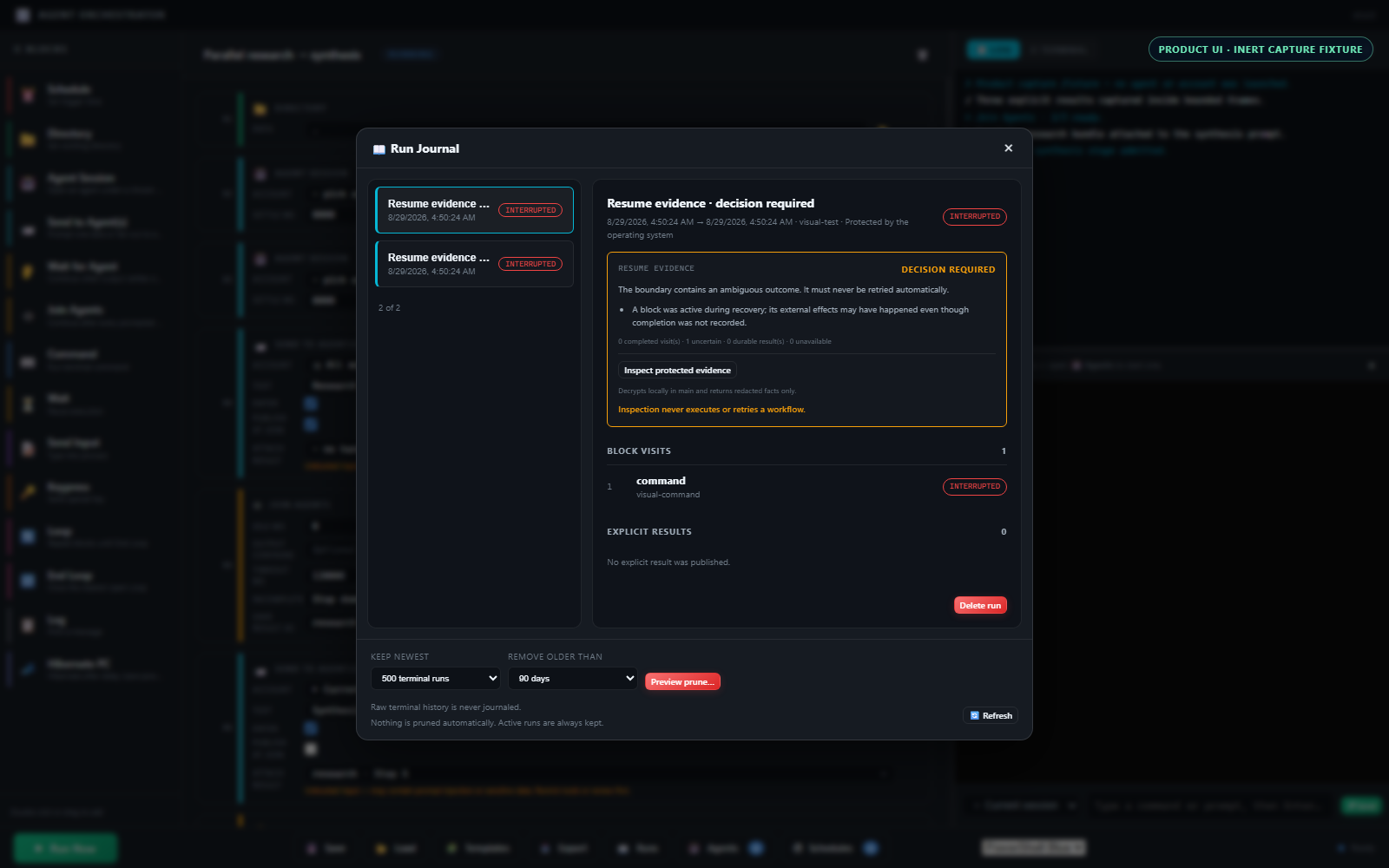
These are deterministic captures of the real renderer with inert fixture data. No account, agent, PTY, or production journal was opened to make them.
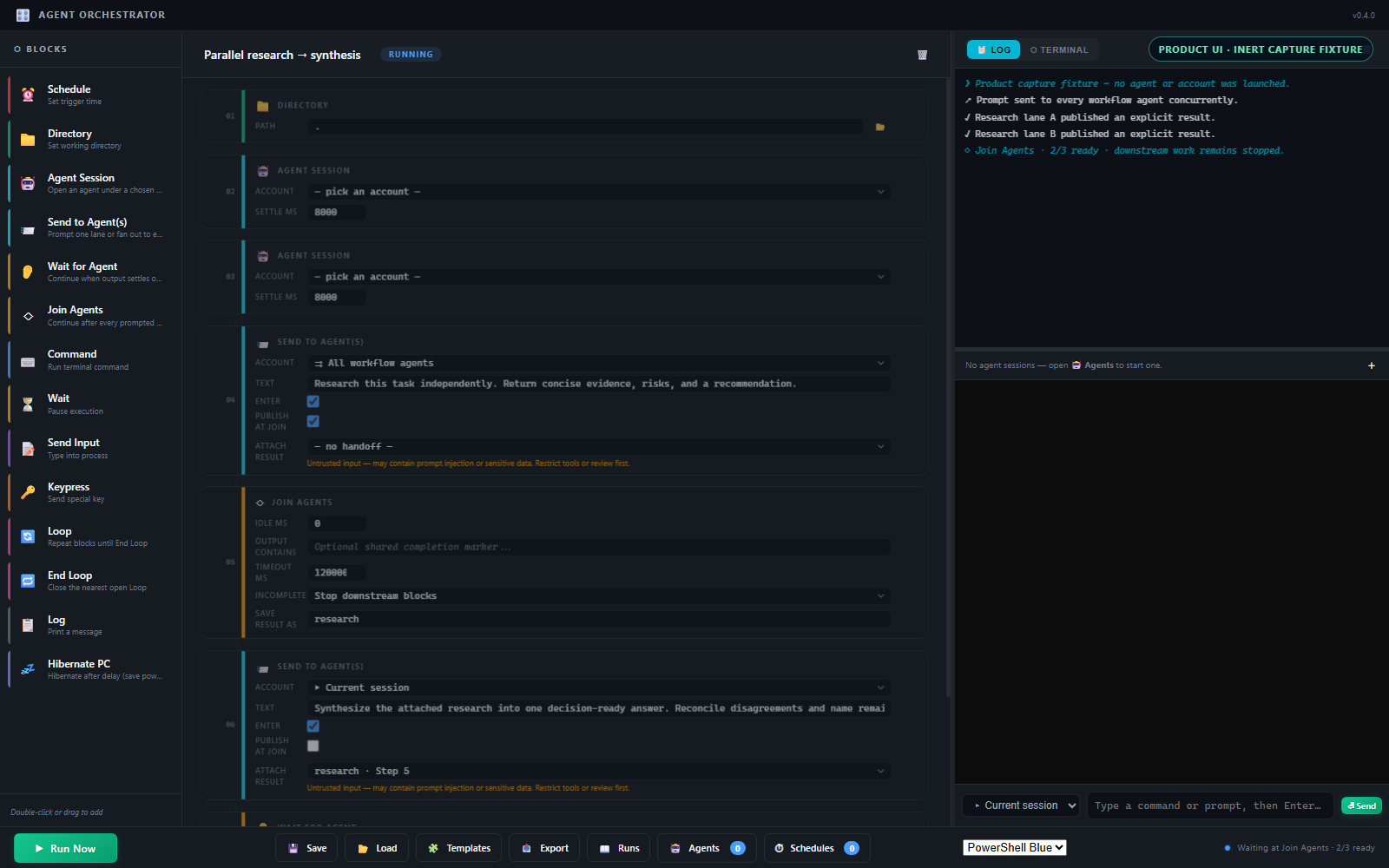
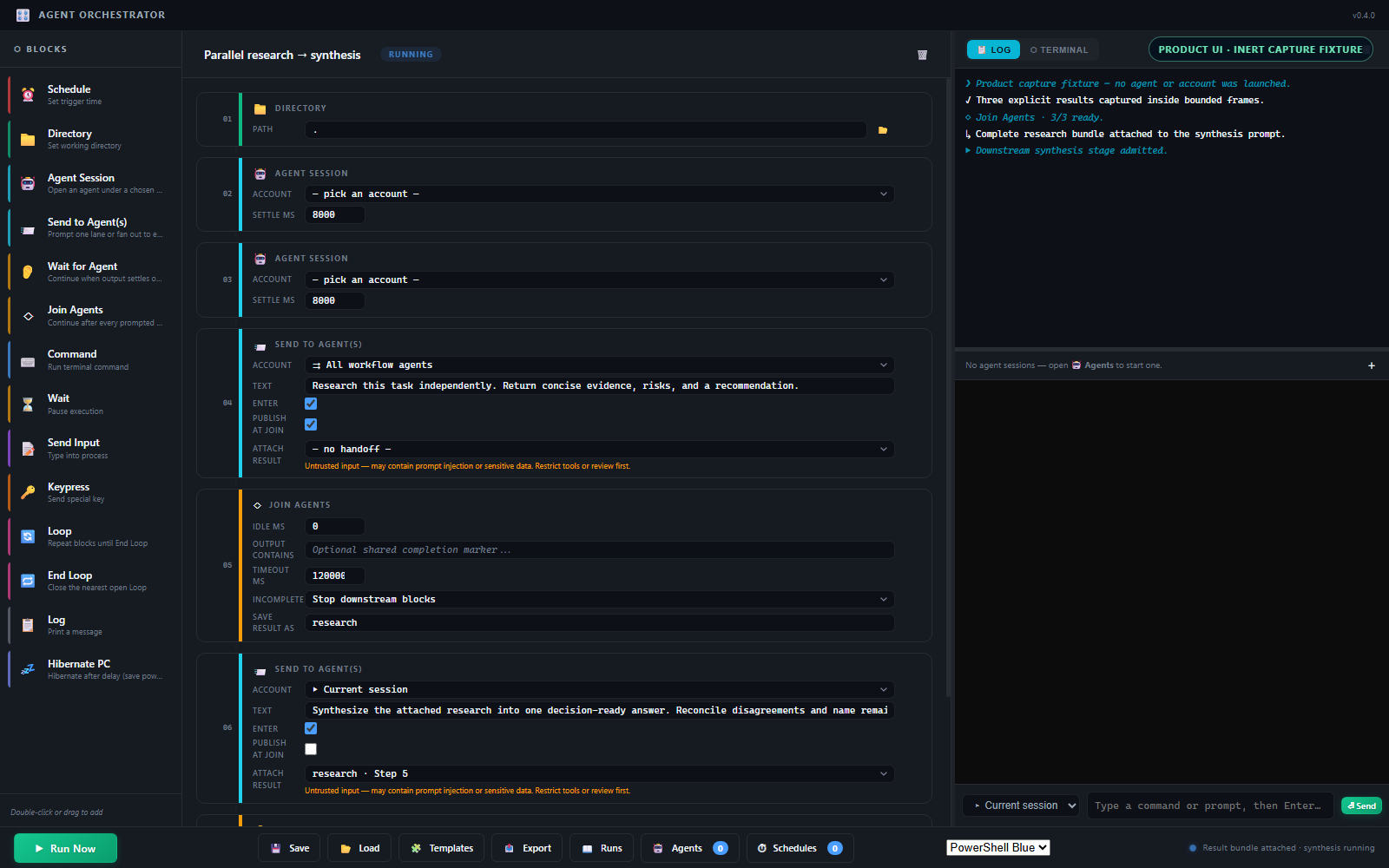
Select an agent and an account. The assurance badge tells you what the launch can actually guarantee.
Sessions keep running behind their tabs, so one workflow can prompt several accounts without losing output.
One barrier watches every prompted lane. In explicit-result mode, only a complete bounded bundle can feed the next agent stage.
FIRST RUN
Use the smallest path that matches the account guarantee you really have.
Choose Agents in the bottom toolbar. Routed Codex accounts are discovered; local profiles are created here.
L1 means routed. L2 means env-only. L0 means native. These are different guarantees, not cosmetic labels.
Open the account and log in inside its terminal if needed. The app does not accept or persist credentials.
Open the team, place every Send to Agent block before one Join Agents barrier, and add the second account only after the first path is sound.
ACCOUNT ASSURANCE
Assurance describes construction of the child session. It never claims that an upstream agent service is available or authenticated.
STRONGEST AVAILABLE ROUTE
ai-agent-entrypoint.
The orchestrator discovers Codex aliases with doctor output and
launches through codex shell <alias>. If that
route cannot be resolved, launch fails closed. In a workflow,
an Agent Session block waits for the account shell, invokes
its session-local codex wrapper once with a
fixed trailing shell exit, and then observes the configured
settle period. Opening the same account manually leaves you
at the interactive shell.
Do not expand this into a claim about service-side isolation.
LOCAL CHILD ENVIRONMENT
Use this for agent CLIs without managed routing. Create a profile
with path or flag environment values, then authenticate inside
the resulting terminal. A workflow wrapper omits
-NoExit, so it closes when its direct agent
command returns; a manual tab stays interactive.
Never call this account-isolated or equivalent to L1.
PLAIN NATIVE SHELL
The orchestrator opens the native shell with no account-specific construction. It is useful for ordinary commands and explicit manual work.
Identity is whatever the unmodified shell already provides.
RECIPE COMPOSER
The composer is a planning aid. It keeps profile IDs blank so the resulting idea stays portable across machines.
Role-specific sends all precede the shared barrier. For one common prompt, target All workflow agents; multi-target typing happens concurrently.
SIGNAL-AWARE JOIN LAB
Each prompt records an opaque activity checkpoint before submission. The shared join observes every eligible session from its own checkpoint, even if one replies before the Join Agents block starts.
00 Press replay to watch three readiness signals converge.
Include each workflow-owned agent session prompted since the previous Wait for Agent or Join Agents.
Each session advances independently on new bounded PTY activity: a literal marker or new-output idle.
Continue at M / M ready. Timeout or premature exit stops downstream blocks by default and leaves remaining sessions open.
WORKFLOW INTEGRITY
Starting a run captures the ordered blocks and parameters it will use. Later edits belong to the next run.
Manual and scheduled runs execute a captured workflow value. Dragging, editing, or renaming in the UI cannot rewrite the active run.
A due saved workflow starts from its persisted snapshot without replacing the editor or clearing dirty state. An open unsaved draft never overrides that saved schedule source.
Run Journal records main-owned status and block visits. After its cheap evidence gate, an explicit local preflight can decrypt the captured snapshot, prove nested-loop visit order, verify protected results, classify runtime reconstruction, and re-resolve accounts. Only redacted facts return to the Runs view; no replay action exists. Stable cursor pages and preview-first retention stay metadata-only.
The journal is durable evidence, not an automatic resume point. “Boundary recorded” means the cheap metadata gate found durable, untruncated evidence and may offer Inspect protected evidence. That explicit inspection is bound to the displayed source revision and runs only in main: it checks protected bytes with the same versioned workflow validator, proves the exact visit prefix, verifies result bindings, classifies runtime state, and resolves current profile authority. The report omits paths, prompts, commands, profile IDs, block IDs, and result bodies. “Boundary verified” still is not permission to execute. An interrupted block may already have produced an external effect, so it is never retried automatically. Explicit bounded results can feed a later Send block; arbitrary PTY history cannot, and workflows remain ordered programs rather than a general DAG. Protected journal files stay until you explicitly delete a run or confirm a previewed count/age retention plan. Retention is never automatic, and active runs are never candidates. Framing does not neutralize indirect prompt injection: restrict tools or require human review when a result contains untrusted source data. Generated result input also crosses a separate main-process capability check; shell profiles, manual tabs, and composite custom commands cannot receive it. Each record has a hard size bound. Listing uses stable cursor pages backed by a rebuildable public-metadata index that contains no ciphertext or result bodies. Startup recovery still validates source records so an unknowable active run fails containment closed.
SCHEDULED PRE-WARM
Metered CLI-agent plans start a rolling 5-hour usage window at your first message. A scheduled early ping decides when that clock starts — before you even sit down.
A daily cron workflow opens the agent, sends one trivial prompt, and exits. The provider's 5-hour window now spans 05:00–10:00.
Your real session lands in the tail of the pre-warmed window instead of opening a fresh one that would run until 14:00.
Your next prompt opens a fresh 10:00–15:00 window. One working morning spans two windows' worth of usage — per account, so multi-account fan-out pre-warms every login at once.
This shifts when a window you already pay for begins; it does not create free usage, and weekly caps are unaffected. The Usage-window pre-warm template ships the pattern ready to run — tune the ping time to your own burn rate, and keep the machine awake for the scheduled minute (the heartbeat survives tray and lock, not sleep).
TRUST BOUNDARIES
Live PTY data reaches xterm for interaction. The matcher keeps a bounded activity window in main, while only an explicitly framed result crosses into protected journal storage.
Raw PTY history, child environment values, canonical account-home paths, and the resolved executable.
A missing routed alias does not silently open the native login. Correct discovery and retry.
Join Agents stops downstream execution by default. Inspect the open sessions, strengthen the marker, then retry.
The current editor selection and unsaved-change state remain untouched while the scheduled workflow runs.
DEVELOPER HANDOFF
Main-process logic is CommonJS and unit tested. Renderer modules are exercised by the Electron self-test.
npm install
npm start

npm run check
npm test
npm run smoke
npm run checkSyntax + static docs contractnpm testMain-process + renderer behaviornpm run smokeElectron startup and cleanup path